


£ 22.42

Sponsored links
|
|
£ 22.42 |
To Shop
|

|
£ 22.42 |
To Shop
|
| COMPARE ALL WEBSHOPS (2) | ||
 Description
Compare webshops (2)
Sponsored links · Some shops pay us a fee
£ 22.42
£ 22.42
Shops with other sizes
Description
(1)
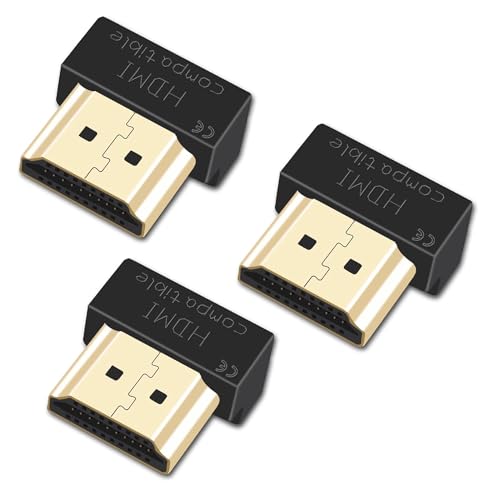
Enhance Your Visual Experience This adapter is suitable for AMD Radeon RX 6000/7000 and Nvidia RTX3000/4000 graphics cards with HDMI 2.1 interfaces. It is also compatible with HDMI2.0/1.4/1.3 (for 8K at 30Hz and 4K at 120Hz, HDMI 2.1 port is required. At resolutions below 4K at 60Hz, the HDMI 2.0 port is sufficient) ensures a dynamic and perfect image representation. Highest resolution: up to 8K at 30Hz (7680 x 4320-30Hz), standard at 3840x2160-60Hz.3840x2160-120Hz 5120x2160-60Hz 4096x2160-60-60-60-60-60-60-60-60-60-60-60-60. 0-60-60/120 0Hz Hz 0Hz 0Hz osen.It has full compatibility downwards, according to the different screen requirements (note: the 8K display requires additional tuning in the device manager). EFFORTLESS INSTALLATION We recommend that you install or upgrade the latest graphics card and operating system before use to ensure smooth and optimal operation of your virtual machine. Economical - This adapter solves the needs of a real display at the end of the remote. Set the screen resolution to the highest resolution and not just the minimum black screen resolution. Connect it to a virtual machine to easily operate graphics cards and computers.
 Related results
 Product specifications


