


£ 369.00

Sponsored links
|
|
£ 369.00 |
To Shop
|

|
£ 369.00 |
To Shop
|
| COMPARE ALL WEBSHOPS (2) | ||
 Description
Compare webshops (2)
Sponsored links · Some shops pay us a fee
£ 369.00
£ 369.00
Shops with other sizes
Description
(1)
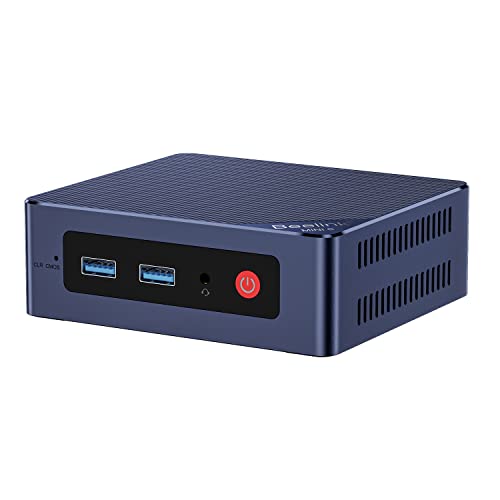
🎈【13th Twin Lake N150 Processor】The Beelink mini pc is driven by the 13th Twin Lake N150(4C/4T, up to 3.6GHz) , with integrated 24EUs 1000MHz Graphics, delivering reliable power, 4K video streaming and multitasking. Handle daily workloads like spreadsheet calculations, web browsing, and HD video editing effortlessly. 🎈【12GB LPDDR5 & 512GB PCIe SSD】Beelink MINI S13 mini computers come with 12GB LPDDR5 RAM(on board) and a 512GB PCIe 3.0 SSD(you can upgrade to 2TB*2), this mini desktop ensures quick app launches and efficient multitasking. while the SSD accelerates file transfers—ideal for office documents, media storage, and everyday computing. 🎈【4K DUAL SCREEN DISPLAY】With two HDMI interfaces,you can connect two displays at the same time,which allows you to enjoy 4K UHD visual effects and entertainment and dual work efficiency. 🎈【Complete Conectivity】Mini S13 is equipped with USB 3.2*4(10Gbps for blazing-fast file transfers), HDMI(4K@60Hz)×2, 3.5mm Audio Jack. Supports WiFi 6, and Ethernet RJ45 2.5G network connectivity, Bluetooth 5.2. This Mini PC supports multiple device connection and can be used with servers, monitoring equipment, office equipment, displays, projectors, televisions, etc. 🎈【Compact Size&11 Home System】Office Mini PC comes pre-installed with the 11 Home system, which is intelligent, secure, and efficient. With its space-saving design, this business class desktop computer can fit easily into most small bags, making it the right choice for desktop users who need to move between the home and office. 🎈【Important Reminder】To avoid initial setup problems, the first time you use the Beelink Mini PC, follow the steps below to set it up. 1) Please do not connect the network or wifi until your mini computer's operating system is working. Please remember not to fill in the email, skip this step, you can use the machine normally. 2) If you only use the wired network to connect the micro pc, please disconnect the wired network directly, restart the machine, and connect to the network after successfully entering the operating system. 3) If you have connected to WIFI when it cannot load on OS, please turn off the router you are using.
 Related results
 Product specifications


