


£ 7.49

Sponsored links
|
|
£ 7.49 |
To Shop
|

|
£ 7.49 |
To Shop
|
| COMPARE ALL WEBSHOPS (2) | ||
 Description
Compare webshops (2)
Sponsored links · Some shops pay us a fee
£ 7.49
£ 7.49
Shops with other sizes
Description
(1)
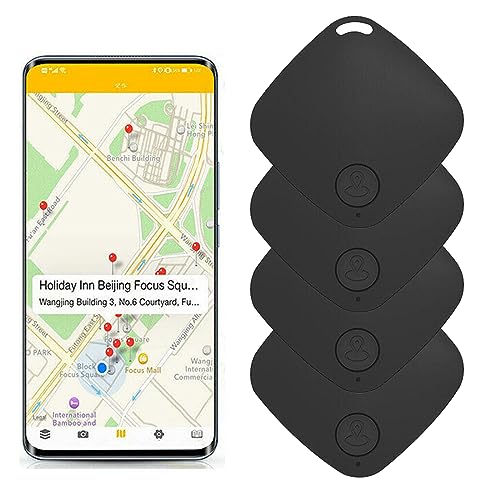
*Instructions for Use: This anti loss device is a low-power product based on Bluetooth 5.0. Through the mobile phone APP software, the user's easily lost items (such as keys, handbags and other items) are bundled together to prevent the loss of items; You can even hang the loss preventer on the child to ensure that the child is within your sight range; Or hang it on your pet, so you don't have to worry about losing it. *Switch on/off: Power on: after long pressing for about 3 seconds, there will be three beeps of "tick tick", and the indicator will flash quickly for 10 seconds. If there is no connection and no key operation, it will continue to flash for 30 seconds every 2 seconds and then power off.Shutdown: After pressing for about 3 seconds, a long prompt tone of "drop" will sound, and the indicator light will go out.(For the following operations, Android is in Redmi 5 plus, Android version 9.6.3.0, Apple is in iPhone 6S plus, IOS version 11.3.1. If the system is different, the actual use of the mobile phone shall prevail, or other updates shall be made without notice.) *Add Device:1.Turn on the mobile phone Bluetooth, enter the APP, skip the boot interface, and directly enter the "Add Device" interface.2.Click the "Add New Device" icon in the interface.3.After searching for a new device, click Auto Connect. (you can also edit the device name as needed)4.After connecting, click the alarm icon, you can hear the "drop" alarm sound of the anti loss device, and you can find the anti loss device. "Didi" sound can make continuous calls. If you click the alarm icon again, the sound will stop.5.Entering the setting interface, you can select the alarm ring and alarm distance.6.Click "System Settings" to view the recording file and set the double click option. *Take photos: Use the camera function and click the loss preventer to take pictures. *Positioning: The location function can only keep the position when the loss preventer is disconnected from the phone. You can find the location record in "Lost Record". To use this function, you need to turn on GPS and keep your phone connected to the network.
 Related results
 Product specifications


