


£ 75.00

Sponsored links
|
|
£ 75.00 |
To Shop
|

|
£ 75.00 |
To Shop
|

|
£ 94.38 |
To Shop
|
| COMPARE ALL WEBSHOPS (3) | ||
 Description
Compare webshops (3)
Sponsored links · Some shops pay us a fee
£ 75.00
£ 75.00
£ 94.38
Shops with other sizes
Description
(1)
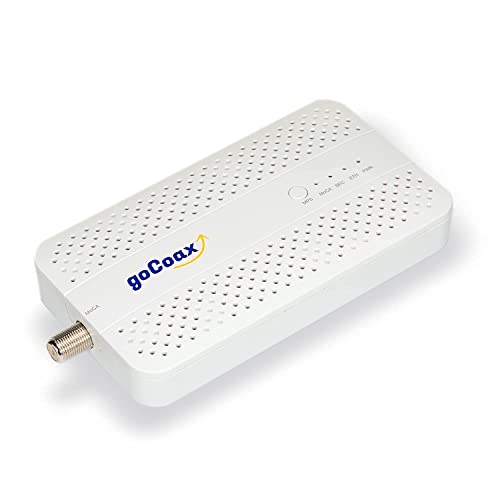
LAN OVER YOUR EXISTING COAX CABLES – Use suitable coax cabling already in your home to extend your home network to other rooms, without running new Ethernet cables through the walls. For a new MoCA network, plan at least two adapters; the coax sockets in both rooms must be connected to each other. MoCA 2.5 WITH 2.5 GbE PORT – MA2500D combines MoCA 2.5 over coax with a 2.5 GbE Ethernet port (RJ45). The maximum capacity of 2.5 Gbit/s is shared across the MoCA network. Actual speeds depend on the complete setup; it does not make your broadband plan faster. FOR TV, GAMING PC AND WI-FI BACKHAUL – Connect Ethernet devices such as a PC, games console or smart TV to your home network. A suitable Wi-Fi access point or mesh node can also be connected by Ethernet. MA2500D does not provide Wi-Fi itself and does not replace your modem or router. PLUG IN AND CONNECT – Adapter A: Ethernet to the router, coax to the wall socket. Adapter B: coax to the socket in the other room, Ethernet to your device. Connect both adapters to power and wait up to two minutes. MoCA, ETH and PWR green? You are connected. Do not unplug or reset the adapters while they synchronise. CHECK YOUR CABLING BEFORE BUYING – Splitters must support MoCA at 1125–1675 MHz. Do not use at the same time as satellite TV on the same coax network. With DOCSIS 3.1/4.0 cable broadband or shared building coax, have compatibility checked before buying. Do not install a MoCA filter without checking your existing setup.
 Product specifications
| Brand | goCoax |
|---|---|
| EAN |
|
| Material |
|
| Color |
|
| Size |
|
| MPN |
|
 Price History
* Price history contains no data from Amazon, Amazon Marketplace.
Prices were last updated on:
 Related results


