


£ 103.49

Featured
|
|
£ 103.49 |
To Shop
|
| COMPARE ALL WEBSHOPS (1) | ||
 Description
Compare webshops (1)
£ 103.49
Shops with other sizes
Description
(1)
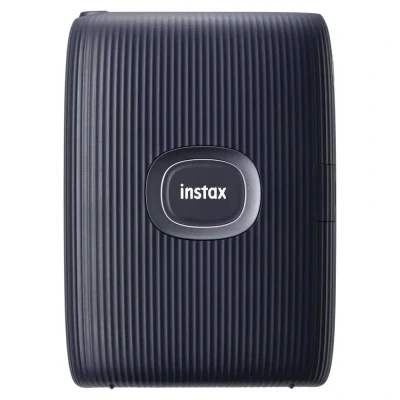
Fujifilm Instax Mini Link2 Ex D Portable Printer. Unleash your creativity with the FUJIFILM Instax Mini Link 2 portable printer. Connect effortlessly via Bluetooth to your smartphone and transform your digital memories into credit-card-sized prints. Explore a wealth of editing options with Instax Air, allowing you to draw directly on your photos or in the air! Choose between vibrant ´Instax-Rich´ or natural ´Instax-Natural´ modes for stunning image quality. The intuitive Instax Mini app offers simple printing, frame additions, collage creation, and even the ability to select a scene from a video to print. Plus, add a playful twist with the Match Test feature!. Instax Mini Link 2Highlights:- Lots Of Great Editing Options With Instax Air- High Image Quality Through The ´´Instax-Rich´´ Vs. ´´Instax-Natural´´ Mode- Even More Fun With The Match TestApp Features:- To Use All The Functions Of The Instax Mini Link 2 Printer, The ´´Instax Mini Link´´ App Is Required. This Can Be Downloaded From The App Store Or Play Store.Home Screen:- The Printer Can Be Connected To The Smartphone Via Bluetooth. In Addition, The Number Of Instant Pictures Still Available And The Battery Status Are Displayed In The Menu Bar. . The Start Screen Shows The Last Printed Motif And An Overview Of All App Functions.Easy Printing:- Any Image Can Be Printed Via The Menu Item ´´Simple Print´´. Before The Picture Is Printed, It Can Be Edited With The Help Of Various Settings.Video Printing:- Via The Menu Item ´´Video Print´´ You Can Select Your Favourite Scene From A Video And Then Print It Out As An Instant Picture.Instax Camera:- Via The Menu Item ´´Instax Camer´´ You Can Shoot Your Motif Directly Via Your Smartphone And Edit It Afterwards.Frame Printing:- There Is A Selection Of Different Frames To Choose From, Which You Can Place On Your Own Motif.Collage Printing:- Choice Of Different Layouts To Create A Collage, As Well As Split Printing.Match Test:- Three Different Tests To Choose From:- Playtest: Answering Questions- Quick Diagnosis: Diagnosis By Photo- Instinct: Diagnosis By MoodInstax Air:- Drawing With The Printer: Move The Printer In The Recording With A Printed Key - Important: Led Light Must Be In The Screen- Draw On The Screen: Move Finger Directly On The Screen To Create DrawingDraw, Edit And Print:- Drawings Or Templates That You Have Created Yourself Can Be Photographed And Printed On The Instant Picture. tradeinn Techinn
 Product specifications
| Brand | Fujifilm |
|---|---|
| EAN |
|
| Color |
|
| Size |
|
| Gender |
|
 Price History
 Prices were last updated on:
 Related results


