


£ 69.99

Sponsored links
|
|
£ 69.99 |
To Shop
|

|
£ 69.99 |
To Shop
|
| COMPARE ALL WEBSHOPS (2) | ||
 Description
Compare webshops (2)
Sponsored links · Some shops pay us a fee
£ 69.99
£ 69.99
Shops with other sizes
Description
(1)
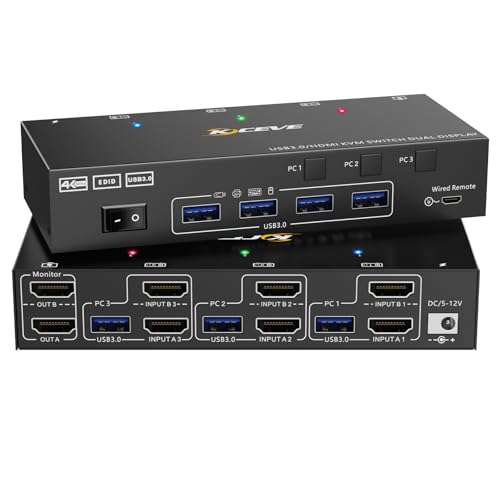
【HDMI KVM Switch 2 Monitors 3 Computers】ESKEVE dual monitor KVM switch controls three computers or laptops sharing four USB 3.0 devices and two monitors with just one set of wired or wireless keyboard and mouse. Supports mirror mode and extended mode. 【USB3.0 KVM Switch 4K@60Hz】The HDMI port of this KVM switch supports Ultra HD quality up to 4K@60Hz (3840 × 2160) and is backward compatible with 1080P@60Hz or other lower resolutions. 𝐍𝐨𝐭𝐞: The final 4K@60Hz can only come out if the computer graphics card, monitor and HDMI cable all support 4K@60Hz. Therefore, if you want the highest resolution, please check if your device meets the above conditions first. 【4 USB 3.0 Ports】HDMI KVM switch 2 monitors supports sharing USB flash drives, scanners, USB printers, keyboards and mouse via 4 USB 3.0 ports. The USB 3.0 port has a transfer rate of 5Gbps, making your work more efficient. 𝐍𝐨𝐭𝐞: this KVM Switch is currently not compatible with MacBook Pro, so we do not recommend connecting to our product. 【𝐒𝐮𝐩𝐩𝐨𝐫𝐭𝐬 𝐄𝐃𝐈𝐃】: This HDMI KVM switch can simulate the EDID of the display and save the resolution and refresh rate of the display. For example, if you switch from PC1 to PC2 and then from PC2 back to PC1, the windows of PC1 keep the order before switching and are not rearranged. In addition, there is an EDID function that also automatically detects the best resolution. 【Easy Switching】 KVM switch 2 monitor 3 computers supports one-touch control of the switcher, which allows you to turn it on or off. You can also switch computers using control panel switches and desktop controllers (included). Switching only takes 3-5 seconds, easy and quick. 【Wide Compatibility】Plug and play, no driver required. KVM Switch 2 computers is suitable for major operating systems such as Windows 10/8/8.1/7/Vista/XP, Mac OS, Linux. Widely used in offices, multimedia teaching, conference rooms, etc . 【Note】 This dual screen KVM switch requires each computer to have two HDMI outputs that support extended display and is not compatible with DVI to HDMI cables/VGA to HDMI cables. If your computer only supports a single screen, you cannot achieve the dual screen display function with this product. Please note that after connecting your computer and monitor via KVM, you need to set the screen output mode (Windows+P) on your computer and select the output mode in the screen pop-up window. Otherwise, the image will only be displayed on one of the two connected monitors.
 Related results
 Product specifications


