


£ 44.99

Sponsored links
|
|
£ 44.99 |
To Shop
|

|
£ 44.99 |
To Shop
|

|
£ 75.19 |
To Shop
|
| COMPARE ALL WEBSHOPS (3) | ||
 Description
Compare webshops (3)
Sponsored links · Some shops pay us a fee
£ 44.99
£ 44.99
£ 75.19
Shops with other sizes
Description
(1)
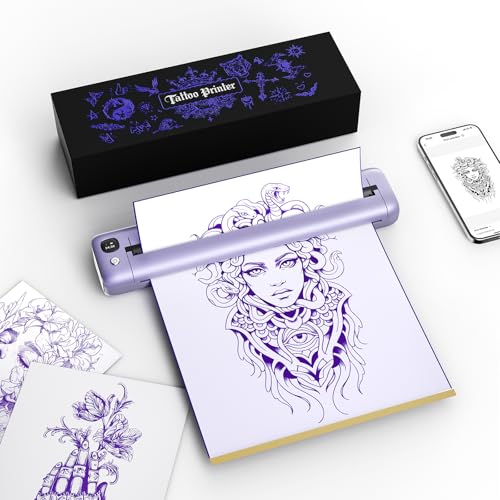
Ultra-long battery life:Rongta F81S portable thermal tattoo printer has 2400mAh battery, Even tattoo beginners can easily control it, and its standby battery life is 60.3 hours, providing up to 226 pages of continuous printing on a single charge. The inkless tattoo printer for skin uses advanced thermal technology. The thermal tattoo printer can eliminate problems such as ink clogging and mess, thereby improving tattoo efficiency. High-definition printing: This portable thermal printer for tattooing with a printing resolution of 203dpi has high-quality printing with clear and precise patterns and lines, focusing on creating professional-grade tattoo art. Its print head can provide clearer results - working more efficiently to achieve more perfect results. Ensure smooth and high-quality printing every time Lightweight and Portable: This Bluetooth-enabled portable tattoo printer is lightweight (0.99 lb) and compact, easily fitting into your bag and taking it anywhere. Powered by batteries and wireless design, the tattoo printer is portable and easy to set up anywhere. With low noise levels (70 dB) and high speeds (up to 13 mm/s), this tattoo printer is designed for both tattoo artists and beginners. The wireless tattoo printer includes five transfer sheets, ensuring you'll have everything you need. Notice: Please use thermal tattoo paper, do not support normal paper. Easy & Convenient Printing with "Tattoo Flow" App: The RONGTA F81S BluetoothTattoo Printer pairs effortlessly with the "Tattoo Flow" app, enabling quick and easy printing from your phone printer. Connect via Bluetooth, select your document, and start printing instantly. The app supports multiple file formats, including PDFs, Word documents, images, and more, making it perfect for all your portable printer needs. For Phone and Tablet Printing: -1.Download the "Tattoo Flow" app. -2.Turn on the F81S and your phone's Bluetooth. -3.Tap the "+" icon to find the F81S printer, connect via Bluetooth, and start printing.(Note:Before you load the paper,you should do these:1.Tear off the yellow bottom paper,note that the adhesive part of the paper should be kept intact.2.Take out the white protective paper(The Second page). For Laptop/PC Printing: -1.Use the USB driver in a box or download the F81S driver from the Rongtatech website. -2.Use the USB cable to connect the F81S printer. -3.Open your document, select the F81S printer, and start printing.
 Product specifications
| Brand | Rongta |
|---|---|
| EAN |
|
| Color |
|
| Size |
|
| MPN |
|
 Price History
* Price history contains no data from Amazon, Amazon Marketplace.
Prices were last updated on:
 Related results


