


£ 144.00

Sponsored links
|
|
£ 144.00 |
To Shop
|
| COMPARE ALL WEBSHOPS (1) | ||
 Description
Compare webshops (1)
Sponsored links · Some shops pay us a fee
£ 144.00
Shops with other sizes
Description
(1)
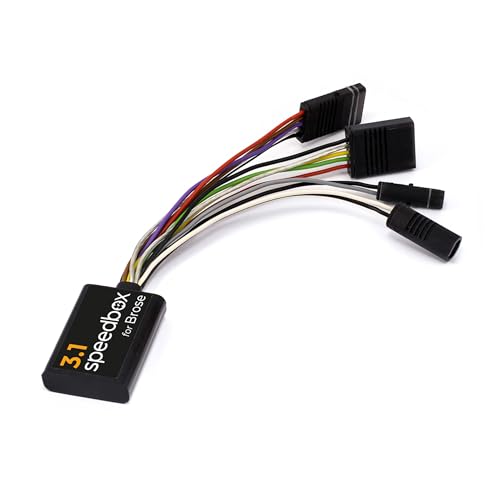
E-Bike tuning kit for Brose and Specialized motors, including the SRAM Powertrain unit. Unlimited speed. Speed limit settings. Real speed. Tuning activation/deactivation: WALK function or Button combination - + - + Compatible with motors: Brose SPECIALIZED Brose S-MAG, S, T, C, T-ALU SRAM Powertrain by Brose Not compatible with: Motors Brose S Mag FIT Motors BROSE Specialized SL (For SL models use SpeedBox 3.0 for Specialized) Enviolo Automatiq SpeedBox App E-Bikes without connector in the display port (dummy plug instead) You can set own speed limit by switching modes - - - + + + (TURBO - TRAIL - ECO - OFF - ECO - TRAIL – TURBO). An actual speed limit will be displayed after that. Briefly activate the WALK function or by turn the rear wheel 360°. The speed will always increase by 5 km/h. The last displayed limit will be saved after 5 seconds of inactivity. The speed indication in the Specialized Mission Control app is not functioning correctly. If you have a TCU without a display on your e-bike, we recommend purchasing the B.Tuning version compatible with the SpeedBox App. E-Bikes with SRAM Powertrain unit Briefly activate/deactivate the WALK function or switch between two assistance modes (+ - + -). Activation → the display will show a battery value of 99%, which corresponds to a max speed of 99 km/h. Deactivation → battery value of 25% = speed limit of 25 km/h.
 Product specifications
| Brand | SPEEDBOX |
|---|---|
| EAN |
|
| Color |
|
| Size |
|
 Related results


