


£ 441.99

Sponsored links
|
|
£ 441.99 |
To Shop
|

|
£ 591.09 |
To Shop
|
| COMPARE ALL WEBSHOPS (2) | ||
 Description
Compare webshops (2)
Sponsored links · Some shops pay us a fee
£ 441.99
£ 591.09
Shops with other sizes
Description
(2)
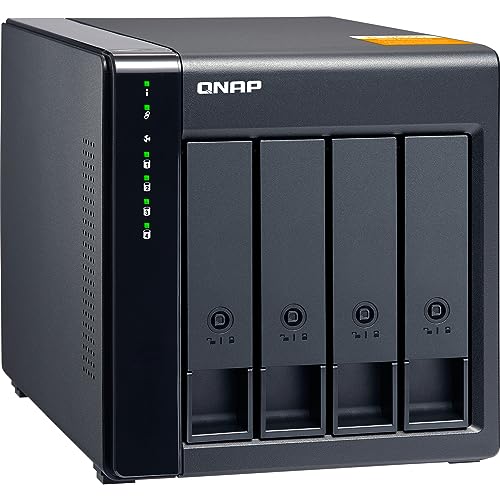
Qnap Tl-d400s Nas. Expand and back up your QNAP NAS, Windows, or Ubuntu systems with the QNAP TL-D400S. This 4-bay SATA 6Gb/s JBOD enclosure offers reliable performance and flexible management. Its shallow rack design fits easily into compact spaces. Connect via SFF-8088 for high-speed data transfer. Manage RAID and monitor status with QNAP JBOD Manager or QTS/QTS hero. Unlock versatile storage expansion, from increasing NAS capacity to external storage for servers and computers. The TL-D400S provides superior performance and cost-effectiveness compared to USB/eSATA solutions. The TL-D400S rackmount JBOD storage enclosure allows you to back up and expand your QNAP NAS units, as well as Windows and Ubuntu computers and servers.The TL-D400S includes four 3.5-inch SATA 6Gb/s drive bays. The shallow rack design is perfect for installing the TL-D400S in a compact rack or in areas with a lot of cables.The TL-D400S features a QXP PCIe card for connecting the enclosure using an SFF-8088 cable.It offers reliable read/write performance to optimize storage and backup tasks. High performance of the TL SATA JBOD. The TL SATA JBOD supports multi-lane SATA 6Gb/s transfer, and each SATA lane connects directly to a single SATA drive to help improve performance.With the 1-1 high-speed channel, the TL SATA JBOD delivers excellent transfer performance.Flexible storage management and configuration. The TL-D400S offers software-controlled storage configuration for greater management flexibility.You can configure RAID and monitor the JBOD enclosure and drive status with Storage & Snapshots when connected to a NAS with QTS or QTS hero, or with the QNAP JBOD Manager utility when connected to a computer.What you need to know. You can connect your TL-D400S to Windows and Ubuntu computers and servers via the high-speed SFF-8088 cable and use the integrated utility to manage RAID configurations.Intelligently monitor the JBOD enclosure status on PCs and servers with QNAP JBOD Manager. QNAP JBOD Manager is a desktop utility for monitoring the TL-D400S on Windows and Ubuntu computers.You can quickly get drive statuses, JBOD information and status, view fan rotation speed, and check for firmware version updates.All device incidents will be logged, and desktop notifications will be sent if a system alert occurs.Flexibly expand connectivity with QXP PCIe cards. Install an exclusive QXP PCIe card in your QNAP NAS or Windows/Ubuntu PCs and servers to connect the JBOD enclosure via SFF-8088 cable for flexible and easy storage expansion.Versatile use scenarios to meet storage expansion needs. The TL-D400S meets many storage expansion needs for both home users and offices.Here is a list of possible application scenarios: Scenario 1: Expand your NAS capacity. The TL-D400S offers users an alternative method to expand NAS storage capacity.By connecting the TL-D400S to your NAS and using Storage & Snapshots Manager in QTS or QTS hero, users can easily configure and manage their storage expansion.The TL-D400S supports various QNAP NAS file and storage management functions, allowing users to create storage pools, search for files with Qsirch, and organize files with Qfiling.Scenario 2: External storage for your NAS. You can use the TL-D400S to expand your NAS storage.You can select drives to create storage pools to expand your NAS capacity, or you can treat each drive as an individual external storage space and use it as a removable drive for greater flexibility.Regardless of the mode you use, you can always use Storage & Snapshots Manager in QTS or QTS hero to configure and manage your TL-D400S and use S.M.A.R.T.for hard drives and Notification Center to check drive status anytime, anywhere.Scenario 3: Expand the storage space of your Windows and Ubuntu computers and servers. You can use your TL-D400S with Windows and Ubuntu computers and servers to expand more storage space.You can adjust your TL-D400S´s RAID configuration to further enhance data protection.In addition, you can also use single disk mode and format with the exFAT file system to ensure more convenient file access and sharing between Windows and Ubuntu computers.Scenario 4: Third-party hardware RAID card for advanced protection. You can install third-party hardware RAID cards in your TL-D400S to ensure advanced hardware RAID 1, RAID 5, RAID 6, RAID 10, RAID 50, and RAID 60 protection and use the Windows utility software to manage your TL-D400S.TL-D400S offers better performance than other USB and eSATA JBOD solutions. The TL-D400S includes SFF-8088 connectivity and multiple SATA 6Gb/s bays.This provides better read performance and higher transfer speeds than existing USB and eSATA expansion enclosures, while being a more economical option compared to a QNAP REXP SAS enclosure. tradeinn Techinn
AmazonLockable hard drive trays prevent accidental drive removal SFF-8088 (or SFF-8644) connection cable supports four SATA 6Gb/s channels per cable (24Gb/s in total) and provides faster data transfer speeds than eSATA and USB Easy to use, QNAP NAS and PC can both use utility software to monitor, obtain, and manage JBOD information Part number: TL-D400S
 Price History
 * Price history contains no data from Amazon.
Prices were last updated on:
 Related results
 Product specifications


